
Avaya JEM24 Button Expansion Module for J100 Series Phones - 700514337
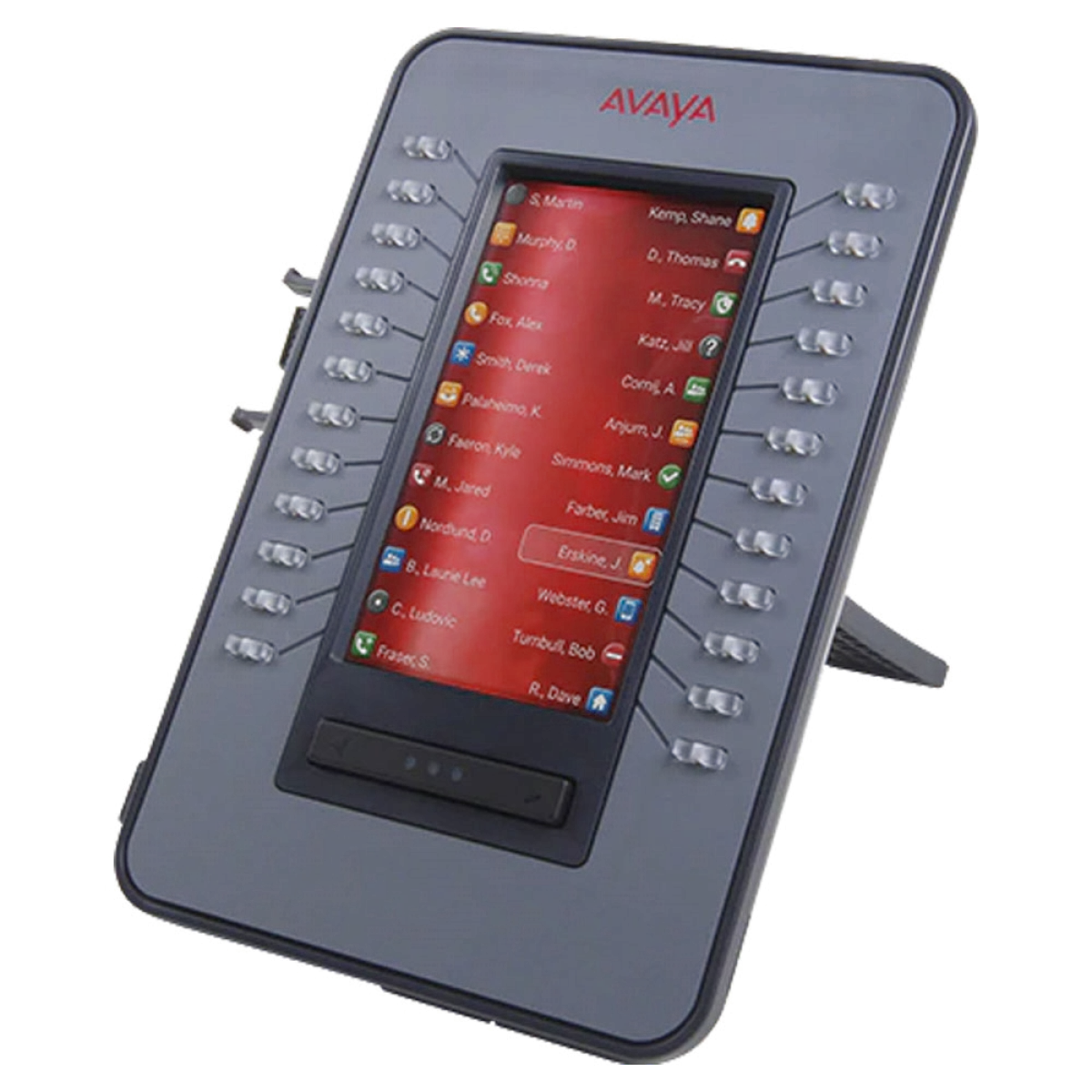

24-button expansion · 4.3" color display · J169/J179 compatible
 Certified Women-Owned
- 24 Programmable Buttons
- 4.3" Color Display
- Expandable · Up to 3 Modules
- PoE Powered · No Licensing
Will this work for me?
View Requirements
24-button expansion · 4.3" color display · J169/J179 compatible
Certified Women-Owned
- 24 Programmable Buttons
- 4.3" Color Display
- Expandable · Up to 3 Modules
- PoE Powered · No Licensing
Will this work for me?
View RequirementsProduct Overview
Featuring a 4.3-inch color display when connected to the J179 (grayscale on J169), the JEM24 offers clear visibility with adjustable brightness controlled from the base phone. When a single module is connected, it provides access to 72 programmable buttons across 3 pages. Up to three JEM24 modules can be connected to a single phone, delivering up to 72 additional buttons for maximum flexibility.
The JEM24 is powered directly through the host phone via PoE, with no additional licensing required. For deployments with two or more modules on a J179, an optional 5V DC power adapter is recommended. Compatible with both SIP and H.323 protocols, the JEM24 integrates seamlessly with Avaya Aura and IP Office environments.
Expand your phone's capacity with 24 additional configurable line and feature buttons for efficient call handling and quick access to frequently used functions.
- • 24 programmable line/feature keys
- • Dual red/green LED indicators per button
- • 72 total buttons across 3 pages (single module)
Large color LCD provides clear visibility of line labels and status indicators. Display adapts to the connected phone model for optimal user experience.
- • 4.3-inch diagonal display
- • 272 x 480 pixel resolution
- • Color on J179, grayscale on J169
Scale your phone system to meet demanding call volumes by connecting up to three JEM24 modules to a single J169 or J179 IP phone.
- • Up to 3 modules per phone
- • Up to 72 additional buttons total
- • Wall mountable with optional bracket
Simplify deployment with power supplied directly from the host phone. No additional software licensing is required to add expansion modules to your system.
- • Powered by host J169/J179 phone
- • No additional licensing required
- • Optional 5V DC adapter for multiple modules
Who Should Use This Product?
Receptionists & Front Desk Staff
Ideal for high-traffic reception areas where quick access to multiple lines, departments, and speed dials is essential for efficient call routing and visitor management.
Administrative Assistants
Perfect for executive assistants managing calls for multiple executives, with dedicated buttons for each line, busy lamp fields, and frequently used features.
Call Center Agents
Suited for medium to high-volume call environments where agents need rapid access to multiple lines, call queues, and feature codes without navigating phone menus.
Why Choose This Product
Will This Work for Me?
Works With
- • Avaya J169 IP Phone
- • Avaya J179 IP Phone
- • Avaya Aura (SIP or H.323)
- • Avaya IP Office
Software
- • J100 SIP 4.0 or later, or Deskphone H.323 6.8 or later
Requirements
- • PoE switch (802.3af) for single module on J179 or up to 2 modules on J169
- • Optional 5V DC power adapter for 2-3 modules on J179 or 3 modules on J169
Note
Hot plugging not supported - connect all modules before powering on phone
What's in the Box
- Avaya JEM24 Expansion Module
- Desk Stand
Technical Specifications
No specifications available for this product.