
Avaya XM24 Expansion Module | Refurbished – 700406523
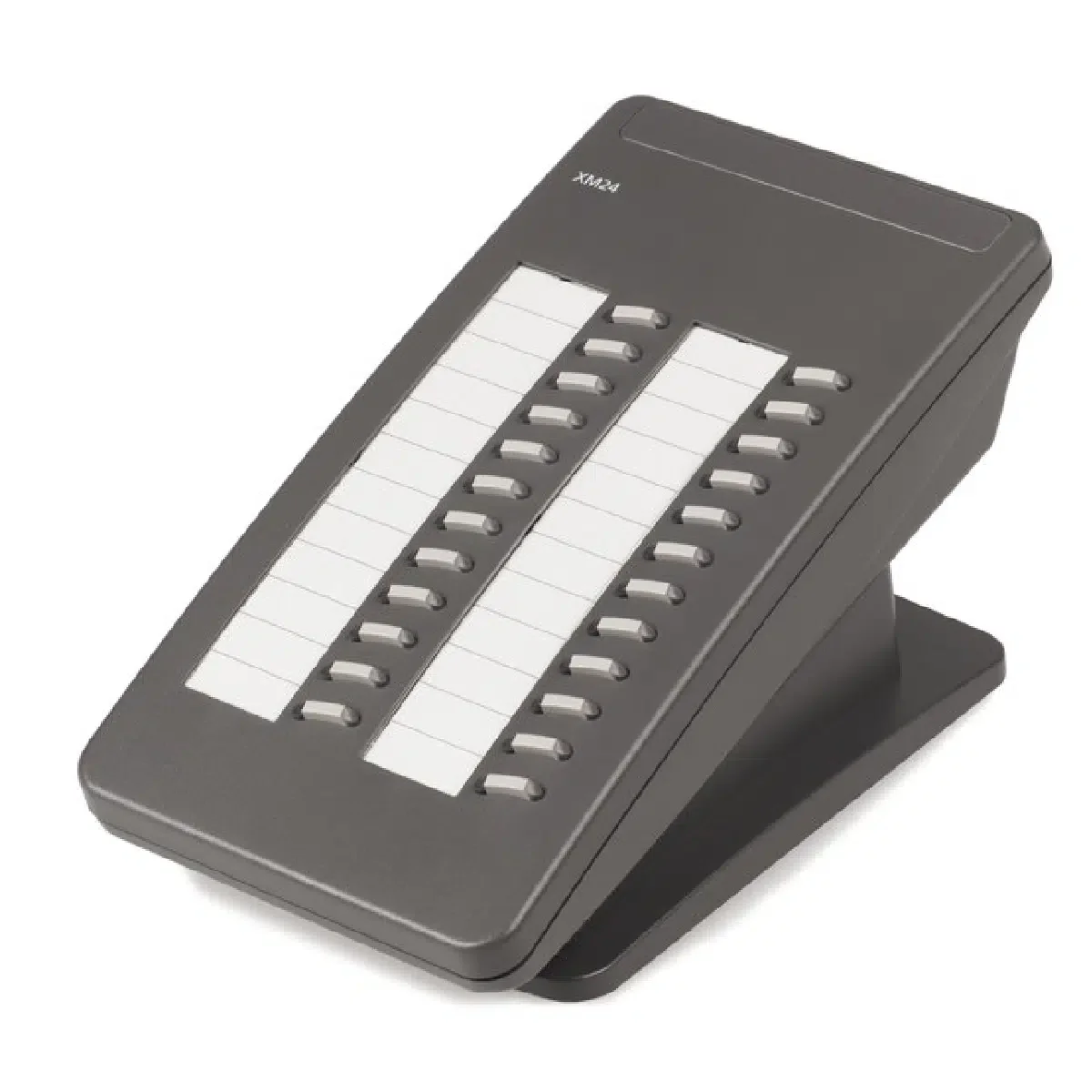

24-button expansion · Dual-color LEDs · 6400 Series compatible
Backed by Macondo's 12 Month Warranty
 Certified Women-Owned
- 24 Programmable Buttons
- Dual LED Indicators
- Universal Design
- Flexible Mounting Options
- Customizable Designation Card
- Easy Connectivity
Will this work for me?
View Requirements
24-button expansion · Dual-color LEDs · 6400 Series compatible
Backed by Macondo's 12 Month Warranty
Certified Women-Owned
- 24 Programmable Buttons
- Dual LED Indicators
- Universal Design
- Flexible Mounting Options
- Customizable Designation Card
- Easy Connectivity
Will this work for me?
View RequirementsProduct Overview
The Avaya XM24 connects to the Avaya 6416D+M or Avaya 6424D+M via the dedicated XM24 port on the base of the phone. One XM24 is supported per phone, expanding total button capacity to 40 keys on the 6416D+M or 48 keys on the 6424D+M. The XM24 expansion module requires power either at the terminal with a station power supply or in the wire closet via a bulk power supply.
Macondo Refurbished Product - Proven Reliability and Quality from the Industry Leader
Every refurbished product from Macondo Networks is fully tested before and after refurbishing to ensure flawless operation. We hold our cosmetic standards high—no yellowed buttons, scratched displays, or visible wear. Units ship factory reset with the latest firmware installed, ready for immediate deployment. Phones include a new handset, handset cord, and network/line cable. Our 12-month warranty reflects the confidence we have in every refurbished unit we sell. Why pay premium prices for new when you can get the same quality and warranty coverage at a fraction of the cost?
Provides 24 additional buttons that can be configured as line appearances, call appearances, or feature buttons to extend your phone's capabilities.
- • 24 programmable buttons
- • Configurable as line/call/feature appearance
- • Two-column button layout
Each button features both red and green LED lights for clear visual status indication of line activity and feature status.
- • Red and green LEDs per button
- • Visual status feedback
- • Easy line monitoring
Internationally styled module that is universal and not language or region specific, suitable for global business deployments.
- • International styling
- • Language-neutral design
- • Global compatibility
Can be used with or without a stand, with two different stand heights available to match your specific telephone model.
- • Optional stand use
- • Two stand height options
- • Desktop placement
Includes a 2-column designation card for labeling buttons with telephone numbers, extensions, or feature assignments.
- • Removable designation card
- • 2-column layout
- • User-customizable labels
Connects to compatible phones via the XM24 port on the base of the telephone using the included modular cord.
- • 2 ft. 3 in. modular cord
- • XM24 port connection
- • Simple installation
Who Should Use This Product?
Receptionists and Administrative Assistants
Professionals who manage multiple incoming calls and need quick access to numerous extensions for efficient call routing and transfer operations.
Call Center Operators
High-volume call handlers who benefit from additional programmable buttons for managing multiple lines, features, and quick-dial extensions.
Executive Assistants and Office Managers
Support staff who coordinate communications for multiple executives or departments and require expanded button access for efficient call management.
Why Choose This Product
Will This Work for Me?
Works With
- • Avaya 6416D+ Digital Telephone
- • Avaya 6416D+M Digital Telephone
- • Avaya 6424D+ Digital Telephone
- • Avaya 6424D+M Digital Telephone
Requirements
- • Power supply required: Avaya 1151C1, 1151C2, 1151D1, or bulk power supply (1145A/1145B1)
- • D8W modular cord for power connection to telephone
Note
Only one XM24 expansion module is supported per phone
Not wall mountable
What's in the Box
- Avaya XM24 Expansion Module
- D6AP-87 Modular Connection Cord (2 ft. 3 in.)
- Designation Card
- Installation Instructions