
Jabra GN1216 QD to RJ-9 Avaya Cord | 20" Straight – 88001-03
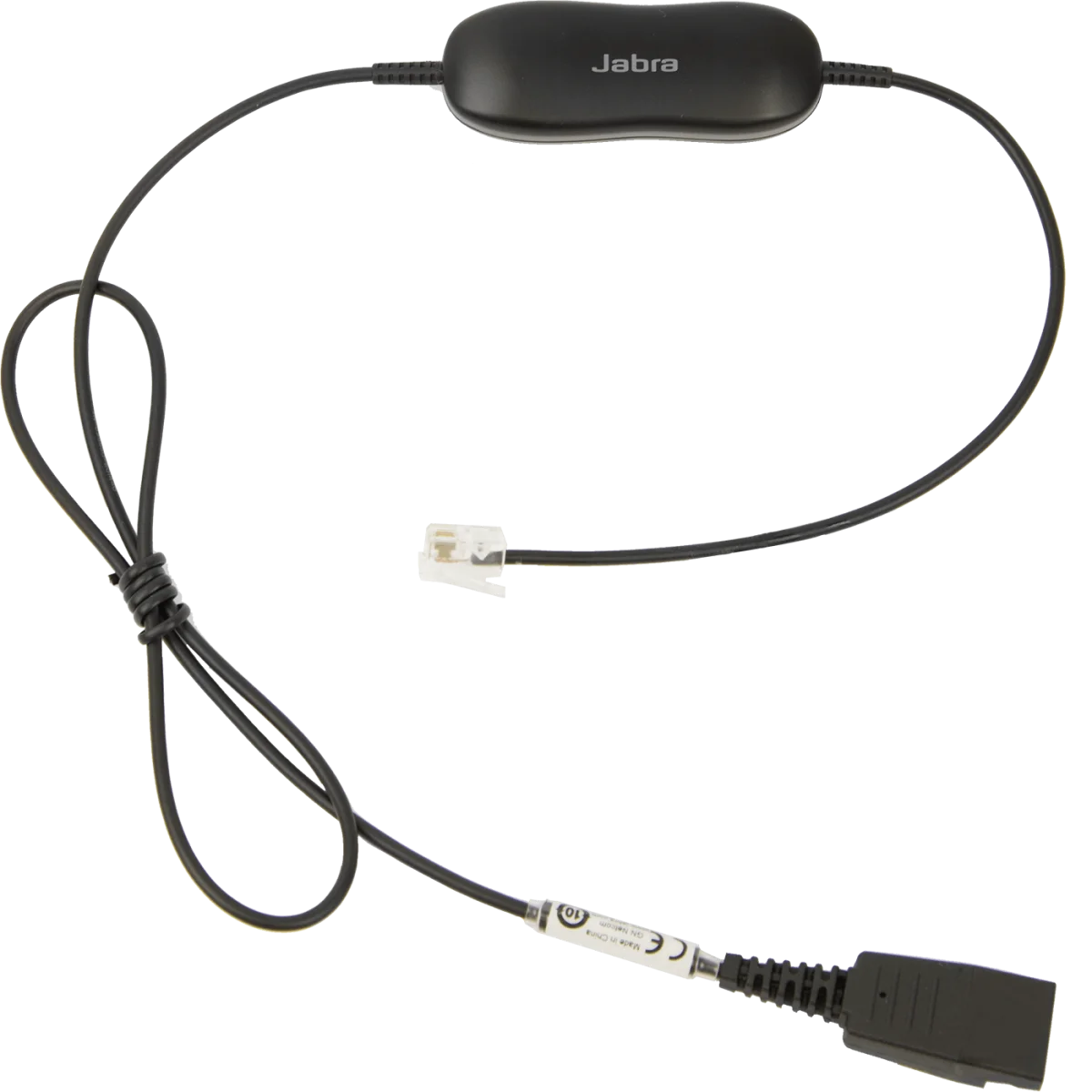

QD to RJ-9 straight · 20" · 8 mic settings · Avaya 1600/9600
 Certified Women-Owned
- 8-Position Microphone Volume Control
- Avaya Phone Compatibility
- Wideband Audio Support
Will this work for me?
View Requirements
QD to RJ-9 straight · 20" · 8 mic settings · Avaya 1600/9600
Certified Women-Owned
- 8-Position Microphone Volume Control
- Avaya Phone Compatibility
- Wideband Audio Support
Will this work for me?
View RequirementsProduct Overview
Designed specifically for Avaya phone systems, the GN1216 supports wideband sound for enhanced audio clarity. Simply connect the cord to your Jabra headset through the Quick Disconnect plug, plug the RJ-9 connector into your Avaya phone's headset port, and adjust the microphone level slider to your preference.
Fine-tune your outgoing call volume to ensure consistent, comfortable audio levels on every call. Simple slide adjustment lets you set the perfect microphone sensitivity.
- • 8 microphone volume settings
- • Built-in volume control slider
- • Consistent outgoing call levels
Purpose-built for Avaya one-X Deskphone systems, ensuring reliable connectivity and optimal audio performance with your existing phone infrastructure.
- • Avaya 9600 series (9610, 9620, 9630, 9640, 9650, 9670G)
- • Avaya 1600 series (1603, 1608, 1616, 1716)
- • Standard RJ-9 connector
Delivers enhanced audio clarity for professional communications with support for wideband sound transmission.
- • Wideband sound support
- • 80cm / 31.5" straight cord
- • Quick Disconnect (QD) connection
Who Should Use This Product?
Avaya Phone Users
Essential adapter for professionals using Jabra QD headsets with Avaya one-X Deskphone 9600 or 1600 series phones who need microphone volume control.
Contact Center Agents
Ideal for call center environments with Avaya phone systems requiring reliable headset connectivity and adjustable microphone levels.
Why Choose This Product
Will This Work for Me?
Works With
- • Avaya one-X Deskphone 9600 series (9610, 9620, 9620C, 9620L, 9630, 9630G, 9640, 9640G, 9650, 9650C, 9670G)
- • Avaya one-X Deskphone 1600 series (1603, 1608, 1616, 1716 and variants)
- • Jabra QD headsets: GN2000, GN2100, Biz 2300, Biz 2400 series
Requirements
- • Jabra corded headset with Quick Disconnect (QD) connector
- • Avaya phone with RJ-9 headset port
Note
This cord ONLY works with Avaya 9600 and 1600 series phones. For coiled cord version, see 88001-04.
What's in the Box
- GN1216 QD to RJ-9 straight cord