Why Certification Actually Matters
There's no shortage of headsets on the market, and nearly all of them will technically work with Microsoft Teams. But "technically works" and "certified" are not the same thing. A headset that carries the official Certified for Microsoft Teams badge has been put through Microsoft's rigorous testing program—validated for wideband audio performance, dedicated Teams button functionality, automatic device configuration, and seamless call control integration. Plug it in, and Teams recognizes it instantly. Accept a call, mute yourself, or pop open the Teams interface—all from the headset, without ever touching the mouse.
For IT managers deploying headsets across a team, that plug-and-play reliability isn't a luxury—it's a productivity multiplier. For individual contributors who live in back-to-back meetings all day, the audio quality difference between a certified headset and a generic one is something they'll feel within the first week.
This guide shows exactly which headset to deploy at every desk. Instead of listing every Teams-certified model available, we've identified the best pick — and best runner-up — across the categories that B2B buyers actually care about: wireless performance, corded reliability, value, open office noise management, and long-wear comfort.
Most enterprise headsets come in two variants: a UC (Unified Communications) version and a Microsoft Teams version. Physically they're identical — the Teams version adds a dedicated Teams button and firmware tuned specifically for the platform. If your organization runs Teams exclusively, go with the Teams version. If you also use Cisco, Avaya, or other UC platforms alongside Teams, the UC version avoids compatibility conflicts while still working well with Teams.
Best Wireless Headset
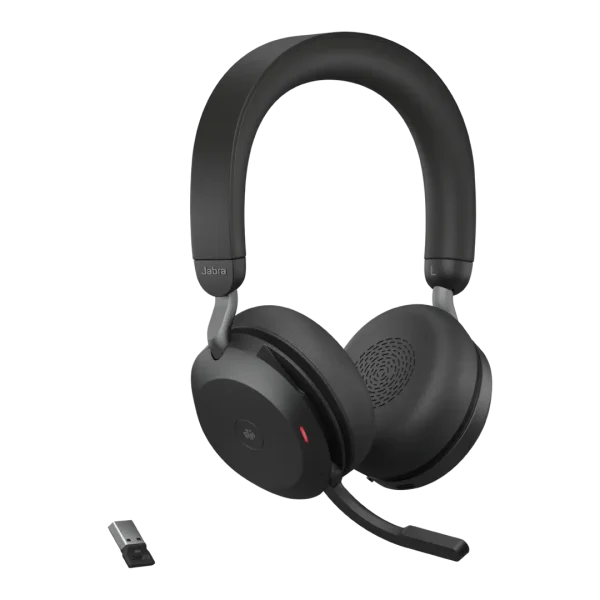
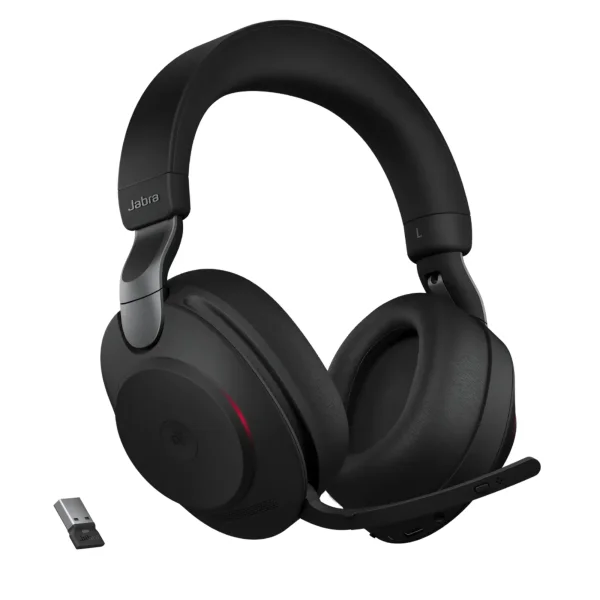
Jabra Evolve2 85 MS
The Jabra Evolve2 85 is the standard by which every other professional wireless headset is measured — extraordinary battery life, class-leading ANC, and a 10-microphone system that reduces background conversation noise by up to 97%.
- 37-hour battery — full workweek on one charge; 15-min quick charge = 8 hours
- 10-mic array — digital hybrid ANC cancels 54% more noise than the previous generation
- Jabra Link 380 USB dongle — lower-latency and more reliable than native Bluetooth
- Hidden retractable boom arm — folds into the ear cup for a cleaner off-desk look
- 360° busylight — visible from any direction so colleagues know you're on a call
- Dual-device connect — laptop and smartphone simultaneously, switches seamlessly
- Jabra Direct / Jabra Plus — centralized IT management and firmware updates at scale
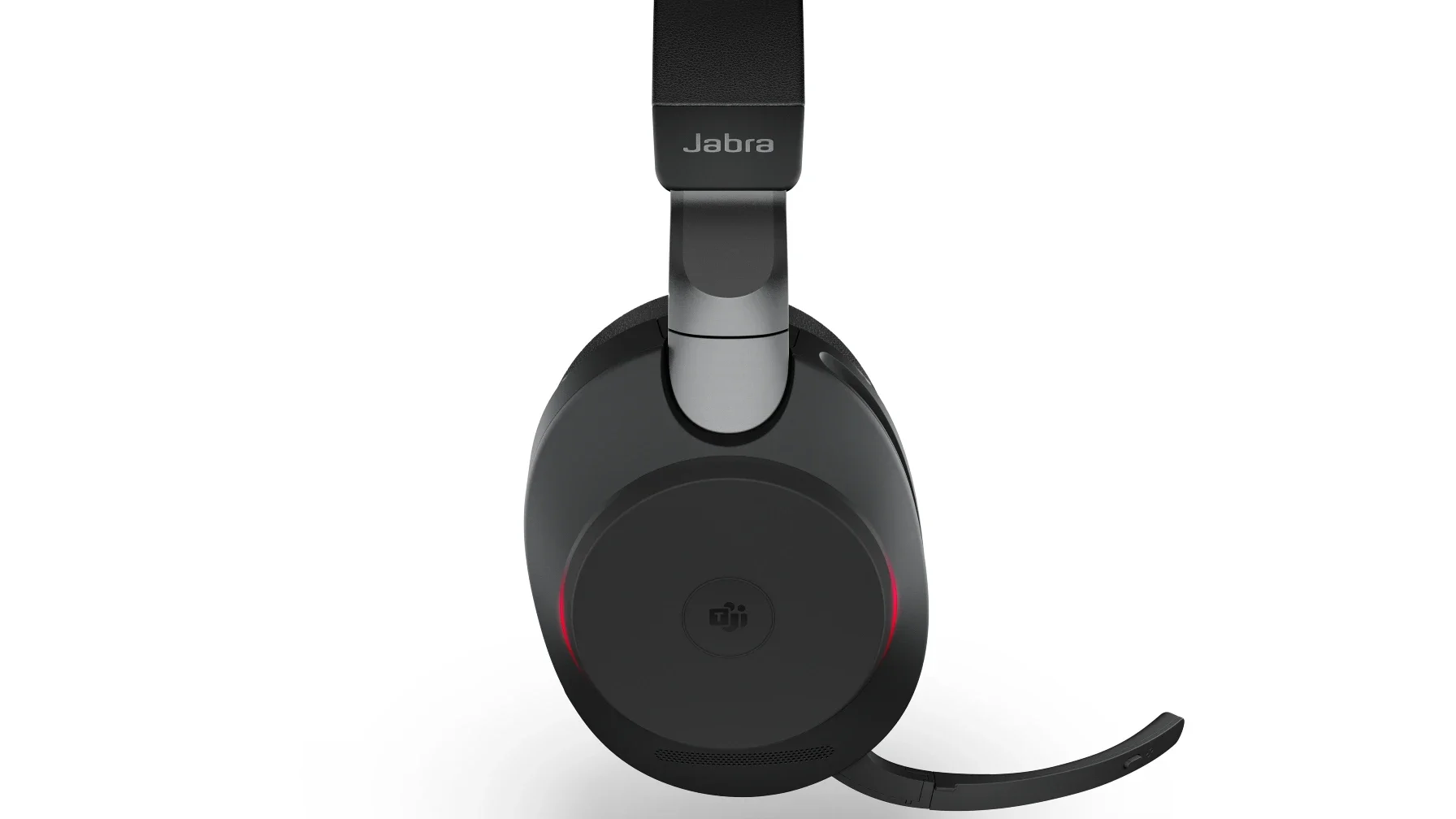
Memory-foam ear cushions shaped from biometric measurements of hundreds of heads make it genuinely comfortable for all-day wear. For IT teams, Jabra Direct and the enterprise-grade Jabra Plus platform provide centralized management across every deployed unit.
- Acoustic Fence technology — virtual noise-free bubble around the microphone boom
- 25-hour battery — charges fully in approximately two hours
- BT700 Bluetooth dongle — pairs with up to eight devices, ideal for hot-desking
- HP / Poly Studio — free remote device management and firmware updates for IT teams
Not sure if wireless is right for your team?
We'll review your environment, call volume, and budget — and tell you exactly what to deploy. No obligation, no sales pitch.
Best Corded Headset
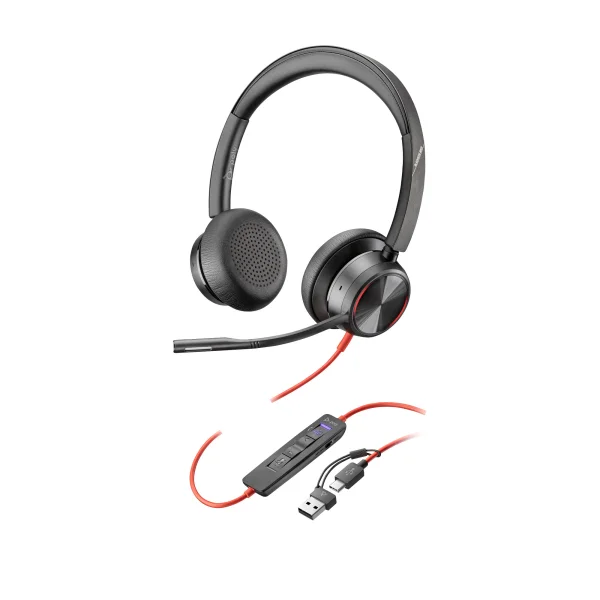
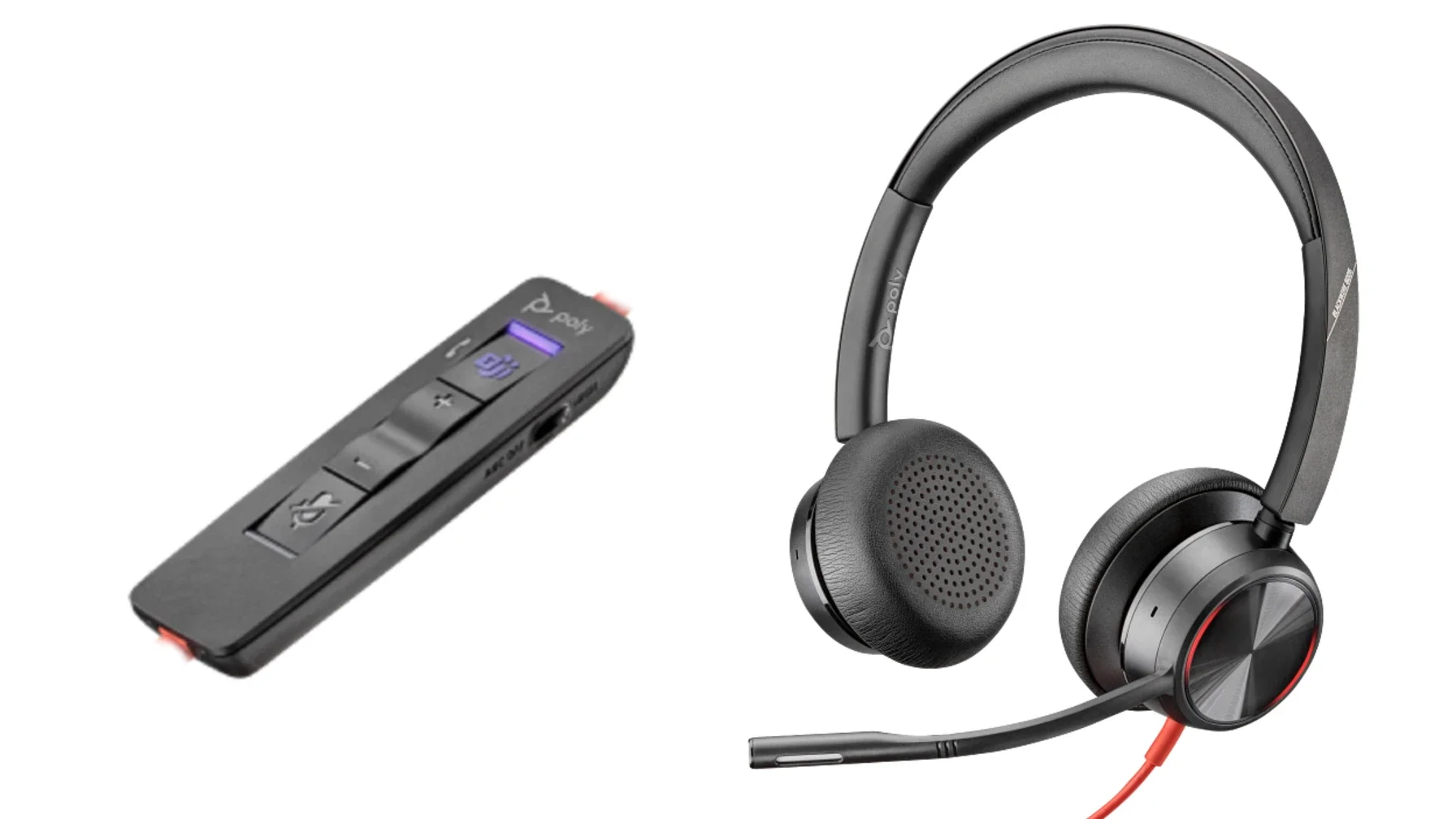
Poly Blackwire 8225 MS
When you need maximum audio performance and never want to think about batteries again, the Poly Blackwire 8225 is the corded headset to beat. It pairs advanced hybrid active noise cancellation with Poly's Acoustic Fence microphone technology to create one of the most acoustically controlled call environments available in a wired headset. Four microphones sense and cancel ambient noise from all directions, while two additional mics establish a virtual perimeter around the speaker — blocking out anything that isn't the user's voice, whether that's a barking dog, a busy call center floor, or a colleague on a speakerphone nearby.
The 8225 connects via USB-A or USB-C and includes a dedicated Microsoft Teams button on the ear cup for direct Teams access. Over-ear cushions and a padded headband make it comfortable for extended wear, and the included carry pouch adds portability for hybrid workers who commute between desk and meeting room. For a wired headset, the audio quality is exceptional — 40mm neodymium drivers deliver rich, full-frequency sound for both calls and listening.
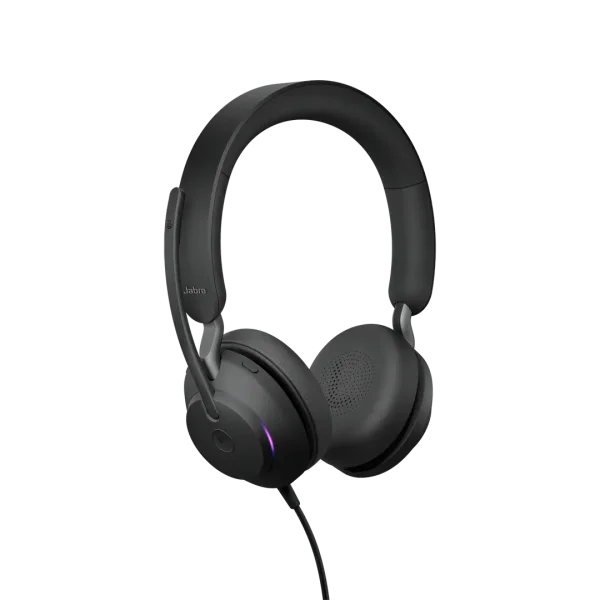
The Jabra Evolve2 40 brings a three-mic digital MEMS array and Jabra's open office noise cancellation to a slim, lightweight form factor that wears comfortably through a full workday. It meets Microsoft's Teams Open Office premium microphone standard, meaning it has been specifically validated for noisy open-plan environments — a rare distinction at this price point. A foam-padded ear cup and angled speaker housing cancel 48% more ambient noise than the previous Evolve generation. The boom arm positions precisely, doubles as a mute toggle when swung upward, and a dedicated Teams button on the ear cup makes joining calls effortless. Available in both mono and stereo configurations, it's a step up from basic USB headsets without demanding a premium price.
Best Value
Jabra Evolve2 30 SE MS
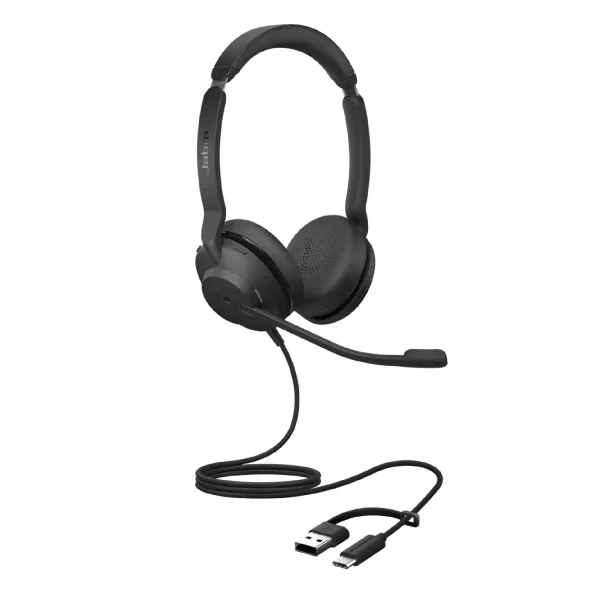
Finding a certified Teams headset under $100 that doesn't compromise call quality is harder than it sounds. The Jabra Evolve2 30 SE manages it. This USB headset — available in mono or stereo — delivers 28mm professional-grade speakers, a noise-canceling boom microphone, and a built-in busylight that signals your availability to those around you. The Teams version includes a dedicated Teams button, and Jabra's device management software Jabra Direct keeps firmware current with no manual intervention required.
The Evolve2 30 SE doesn't have active noise cancellation or advanced multi-mic arrays — those are features reserved for mid-range and premium models. But for the majority of business users who work in reasonably quiet home offices or private workspaces, this headset provides everything they actually need at a price that makes large-scale deployment genuinely practical. Backed by Jabra's two-year warranty and global support infrastructure, it's as dependable as it is affordable.
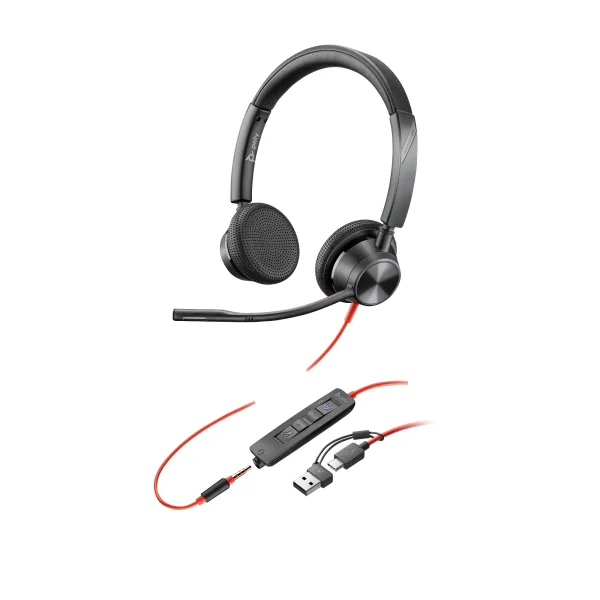
The Poly Blackwire 3325 is a dual-connectivity wired headset with both USB-A and 3.5mm connections, making it one of the most flexible options at its price point. It covers PC, Mac, and mobile device use from a single headset — a compelling proposition for users who hot-desk or share a headset between office and personal devices. Audio quality is solid for the price, call controls are intuitive, and the build quality reflects Poly's enterprise heritage. At street prices frequently below $70, it's the go-to recommendation for budget-conscious IT managers who still need a certified Teams device.
The difference between a $65 certified headset and a $500 one is real — but so is the difference between a certified headset and no headset at all. Getting every seat in your organization on a certified device pays dividends immediately.
Best for Open Office Environments
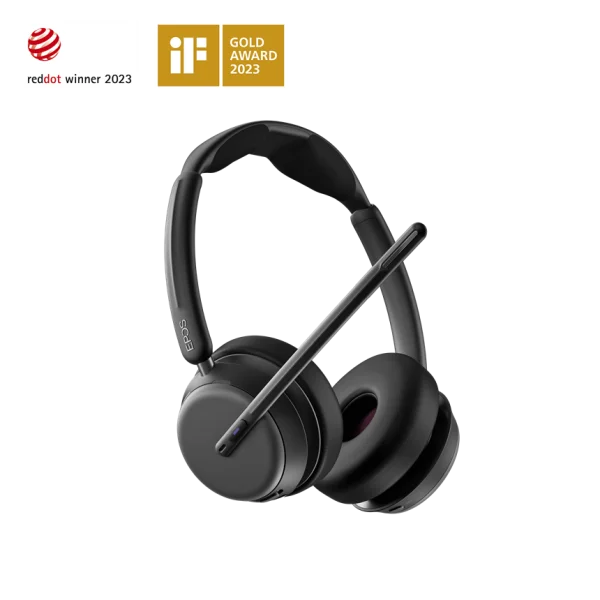
EPOS Impact 1061T ANC
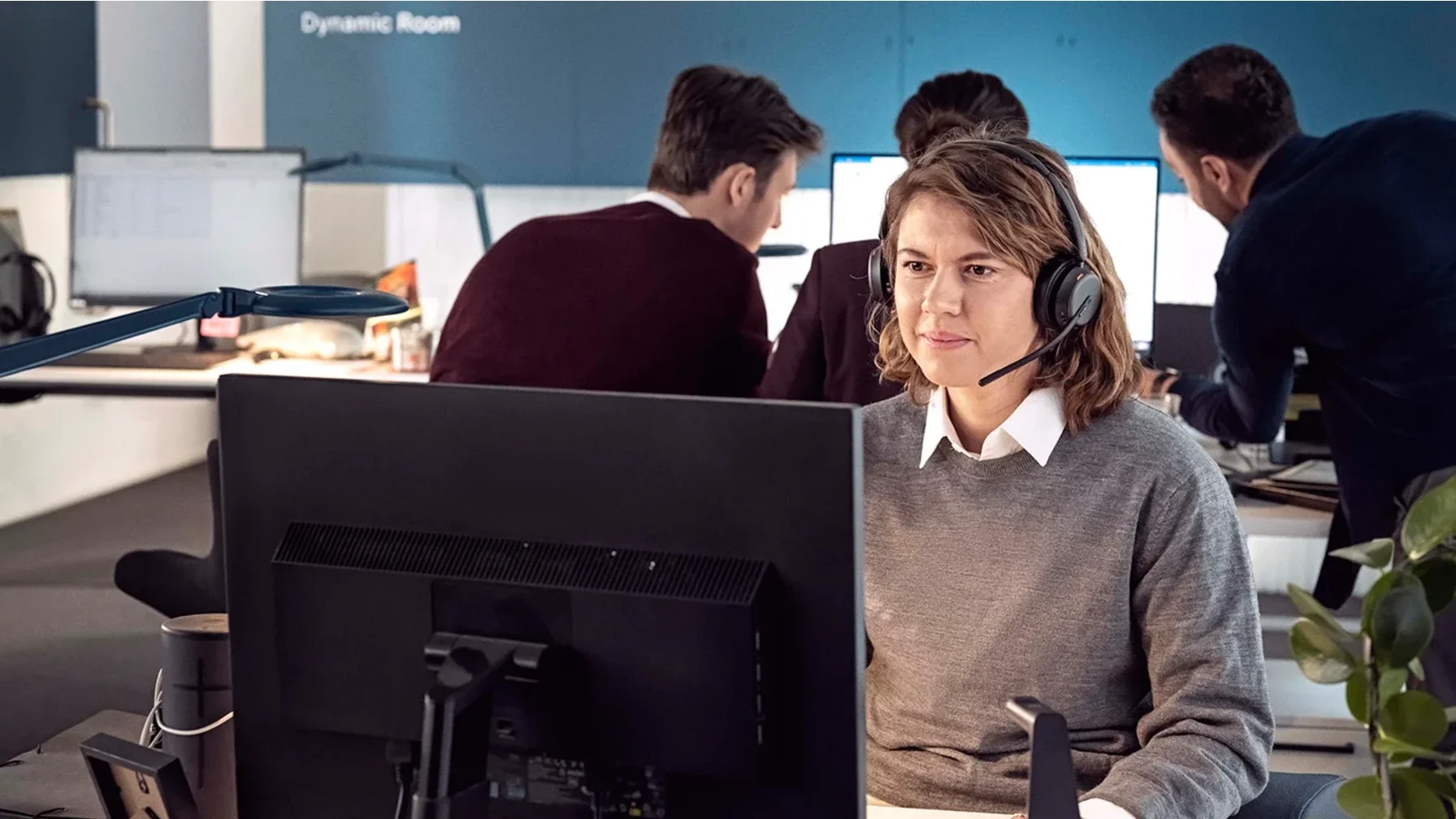
When independent reviewers test microphone noise cancellation, the EPOS Impact 1000 Series consistently comes out on top. The top-tier Impact 1061T ANC combines EPOS AI-powered adaptive microphones — scanning the acoustic environment 32,000 times per second — with hybrid adaptive ANC that automatically adjusts its intensity to the surrounding noise level.
EPOS built this series around their BrainAdapt philosophy — the idea that clearer audio and reduced listening effort lowers cognitive fatigue across a long workday. Clinical research backs it: participants using BrainAdapt technology showed better speech recognition accuracy and reduced listening effort during dual-task scenarios. For call-intensive roles like customer success, sales, or IT support, that translates directly to sustained performance. The 1061T ANC earned Microsoft's Premium Microphone for Open Office designation — one of the most demanding certifications in the Teams program. The contactless wireless charging stand is included in the box.
EPOS AI Adaptive Microphone
Scans the acoustic environment 32,000 times per second, separating voice from background noise with a precision that passive noise cancellation cannot match.
Hybrid Adaptive ANC
Automatically adjusts ANC intensity to current noise levels — full suppression in a loud office, lighter touch in quieter moments — reducing the "plugged ears" feeling of always-on ANC.
Triple-Device Connectivity
Connects simultaneously to PC (via USB dongle) and two mobile devices via Bluetooth 5.3 — essential for workers who juggle desk calls and mobile work throughout the day.
Wireless Charging Stand Included
The 1061T includes a contactless charging stand — simply set the headset down at the end of the day and it charges automatically. No cables, no fumbling with ports.
The Jabra Evolve2 75 occupies the space between the Evolve2 65 and 85, delivering strong ANC performance, a 36-hour battery, and the same 8-microphone noise cancellation architecture found in the broader Evolve2 family. Where it stands out is in its hybrid connectivity: it connects via USB dongle for PC calls and simultaneously via Bluetooth for mobile, switching seamlessly between the two. For open office workers who also take calls while moving through a building, it's a highly capable and versatile option at a more accessible price point than the Evolve2 85.
Not sure which headset fits your environment?
Tell us about your team — office setup, call volume, budget — and we'll run a free Headset Deployment Audit with specific recommendations. No obligation, no sales pitch.
Best for All-Day Comfort
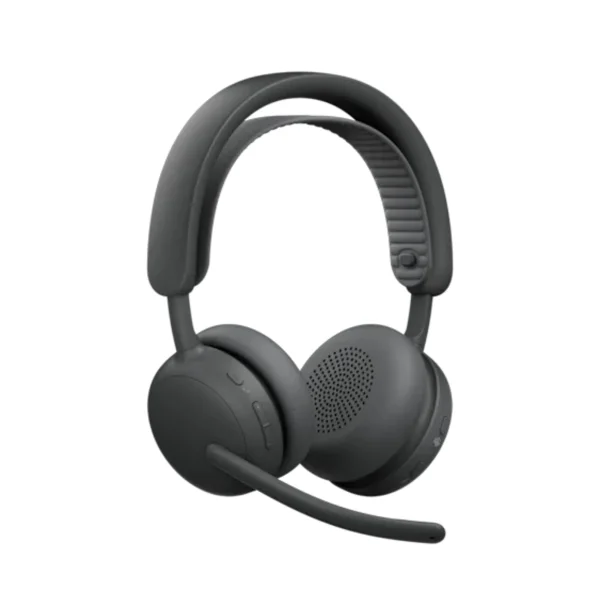
Logitech Zone Wireless 2 MS
Comfort is subjective — but some headsets are engineered with it as their primary design goal, and the Logitech Zone Wireless 2 is one of them. Logitech's enterprise Zone series has long prioritized lightweight, breathable designs that work for people who wear a headset for six or more hours a day. The Zone Wireless 2 features memory-foam ear pads, a soft adjustable headband, and an overall design weight that keeps fatigue at bay through afternoon slumps and back-to-back meeting marathons alike.
On the audio side, adaptive hybrid ANC adjusts in real time to the ambient noise level, and dual noise-canceling microphones ensure clear voice pickup. It connects via native Bluetooth to the Logi Bolt USB receiver for a stable, lag-free wireless connection. Battery life tops out around 22 hours. The companion Logi Tune app offers personalized EQ, sidetone control, and AI-powered call clarity — making it one of the more software-rich options in this category. Crucially, Logitech also offers the Zone Wireless 2 with replaceable ear pads and a user-replaceable battery, meaning the headset can last well beyond the typical two- to three-year lifecycle without degrading comfort or battery performance.
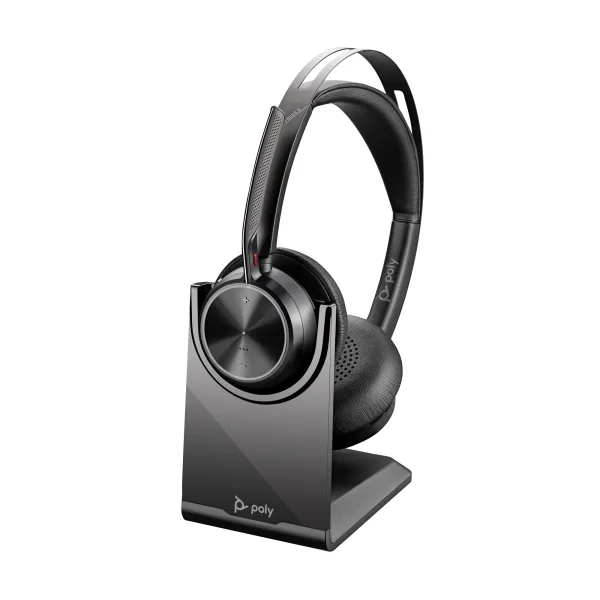
The Voyager Focus 2 earns a second mention here because its cushioned sling-style headband distributes pressure differently than a traditional rigid headband — a meaningful difference for users who find conventional over-ear headsets fatiguing. The sling design eliminates the top-of-head pressure point that plagues many headsets during extended wear, and the plush ear cushions deliver exceptional seal comfort. It's a well-rounded headset all around, but for users whose primary complaint about headsets is physical discomfort, the Voyager Focus 2's ergonomic approach deserves specific recognition.
One to Watch: Jabra Evolve3 85 MS
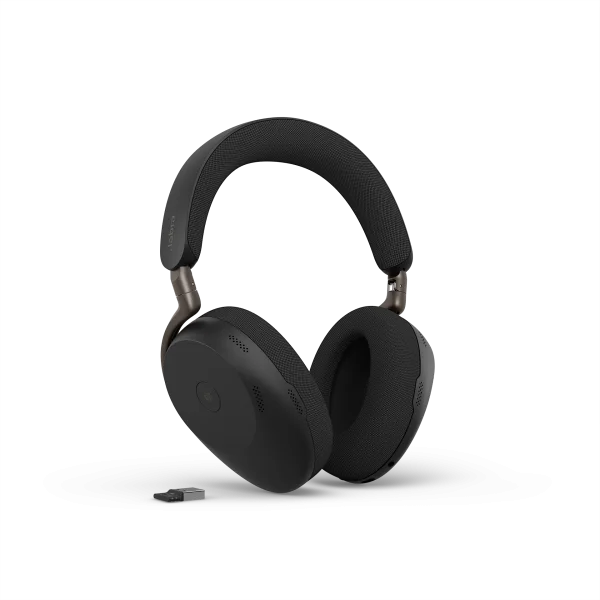
Jabra Evolve3 85 MS · Launched January 2026
Jabra announced the Evolve3 series in January 2026, positioning it as the successor to the Evolve2 75 and 85. It's a significant design departure — and worth understanding before you place your next headset order.
The most notable change is the elimination of the boom arm entirely. The Evolve3 85 relies on a 6-microphone array combined with Jabra ClearVoice, an AI voice isolation system powered by a deep neural network, to separate the wearer's voice from background noise without a physical microphone positioned near the mouth. The result is a cleaner, more consumer-like aesthetic — the headset looks at home in a coffee shop or on a commute, not just at a desk. Jabra claims 98% accurate voice pickup for AI assistant interactions, and the spatial sound engine is designed to make calls feel more natural and less fatiguing over long sessions.
Other notable improvements over the Evolve2 generation include a foldable, 35% slimmer form factor, breathable fabric ear cushions rather than leatherette, a replaceable battery (compliant with EU repair legislation), Bluetooth Fast Pair, and wireless charging included in the box. It's managed via the new Jabra Plus platform for IT teams, with an end-user mobile app available at launch and a desktop app following later in 2026.
The Evolve3 85 is Teams certified, available now, and genuinely compelling. The reason it doesn't displace the Evolve2 85 from the top wireless spot yet is straightforward: independent real-world benchmarking takes time to accumulate. The boomless mic design is a bold move — AI voice isolation has come a long way, but boom-arm microphones still hold a measurable advantage in the most demanding acoustic environments. As field data and reviews build through 2026, that calculus may well change. If you want the newest generation with the most modern design, the Evolve3 85 is the one to buy. If you need a proven, extensively benchmarked choice today, the Evolve2 85 remains the safer enterprise bet.
At a Glance: All Winners & Runner-Ups
| Category | Winner | Runner-Up |
|---|---|---|
| Best Wireless | Jabra Evolve2 85 MS | Poly Voyager Focus 2 MS |
| Best Corded | Poly Blackwire 8225 MS | Jabra Evolve2 40 MS |
| Best Value | Jabra Evolve2 30 SE MS | Poly Blackwire BW3325 MS |
| Best Open Office | EPOS Impact 1061T ANC | Jabra Evolve2 75 MS |
| Best All-Day Comfort | Logitech Zone Wireless 2 MS | Poly Voyager Focus 2 MS |
| 🆕 One to Watch | Jabra Evolve3 85 MS | — |
Jabra Evolve2 85 vs. Poly Voyager Focus 2: Which Wireless Headset Wins?
These are the two most-compared wireless Teams headsets at the mid-to-premium tier, and the right answer comes down to budget and environment. Both are certified, both deliver strong ANC, and both pair via USB dongle for reliable PC connectivity. Here's how they differ where it matters.
If budget isn't a constraint, the Evolve2 85 wins on raw performance. If cost matters, the Voyager Focus 2 delivers 80% of the experience at roughly 30% of the price.
| Feature | Jabra Evolve2 85 MS | Poly Voyager Focus 2 MS |
|---|---|---|
| Battery Life | 37 hours talk time | 25 hours talk time |
| Microphones | 10-mic array | 4-mic array |
| ANC | Digital hybrid ANC — fixed | Hybrid ANC — 3 adjustable levels |
| Noise Isolation Tech | 97% background noise reduction | Acoustic Fence technology |
| Boom Arm | Retractable hidden boom | Flip-down boom |
| Busylight | 360° visible from all angles | LED indicator (less prominent) |
| Device Management | Jabra Direct / Jabra Plus | HP / Poly Studio |
| Warranty | 2 years | 2 years |
| Management Software | Jabra Plus — remote deploy, firmware, analytics | HP / Poly Studio — remote deploy, firmware, analytics |
| Best For | Power users, open offices, executives | Hybrid workers, budget-conscious teams |
Choose the Evolve2 85 if your users are in demanding acoustic environments — open plan offices, shared workspaces, or home offices with significant background noise — and call quality is non-negotiable. The 10-microphone system and longer battery life justify the price premium for heavy users. Choose the Voyager Focus 2 if you need a solid, certified wireless headset at roughly a third of the price and your users work in reasonably controlled environments. It's also the better pick for hot-desking environments where individual headsets need to be cost-effective at scale.
Corded vs. Wireless Teams Headset: Which Should You Choose?
This is the most common question IT managers ask when outfitting a team, and the answer isn't one-size-fits-all. Here's how to think through it.
Choose Corded When…
Users are desk-bound all day and rarely leave their workstation. Corded headsets eliminate battery management entirely, cost significantly less, and deliver consistent audio quality with zero wireless interference risk. The Poly Blackwire 8225 and Jabra Evolve2 40 are the strongest certified options at their respective price points. Also the right call for secure environments — government, finance, healthcare — where wireless transmission is a concern.
Choose Wireless When…
Users move around during calls — walking to a printer, stepping into a hallway, pacing while thinking. Wireless also reduces desk cable clutter in open office environments and gives users the freedom to take calls hands-free without being tethered. The Jabra Evolve2 85 and Poly Voyager Focus 2 are the benchmark certified options. Battery life on modern wireless headsets is strong enough that most users charge overnight and never run out mid-day.
The Mixed Deployment Approach
Many organizations deploy corded headsets as the standard for office-based roles and wireless for managers, executives, or field-adjacent staff who move more. This keeps total cost down while giving mobility to the users who actually need it. Both categories have strong certified Teams options at every price point covered in this guide.
What's the Best Microsoft Teams Headset for Open Office Environments?
Open office headset selection comes down to one thing above all else: microphone noise cancellation. Your colleagues on the other end of a call don't care how good the speakers sound in your ears — they care that they can hear you clearly over the background noise of a busy floor.
By that measure, the EPOS Impact 1061T ANC is the clear answer. Its EPOS AI-powered adaptive microphone scans the acoustic environment 32,000 times per second and has earned Microsoft's Premium Microphone for Open Office designation — the most demanding microphone certification in the Teams program. Independent reviewers consistently rate it as the best noise-canceling microphone in its class. The adaptive ANC also helps the wearer focus in a noisy environment, reducing listening fatigue over a full workday.
If the EPOS budget is out of reach, the Jabra Evolve2 75 MS is the strongest runner-up — it meets the Microsoft Teams Open Office premium microphone standard and delivers strong real-world noise cancellation through its 8-microphone array. For corded open office deployments, the Poly Blackwire 8225 with Acoustic Fence technology is the go-to recommendation.
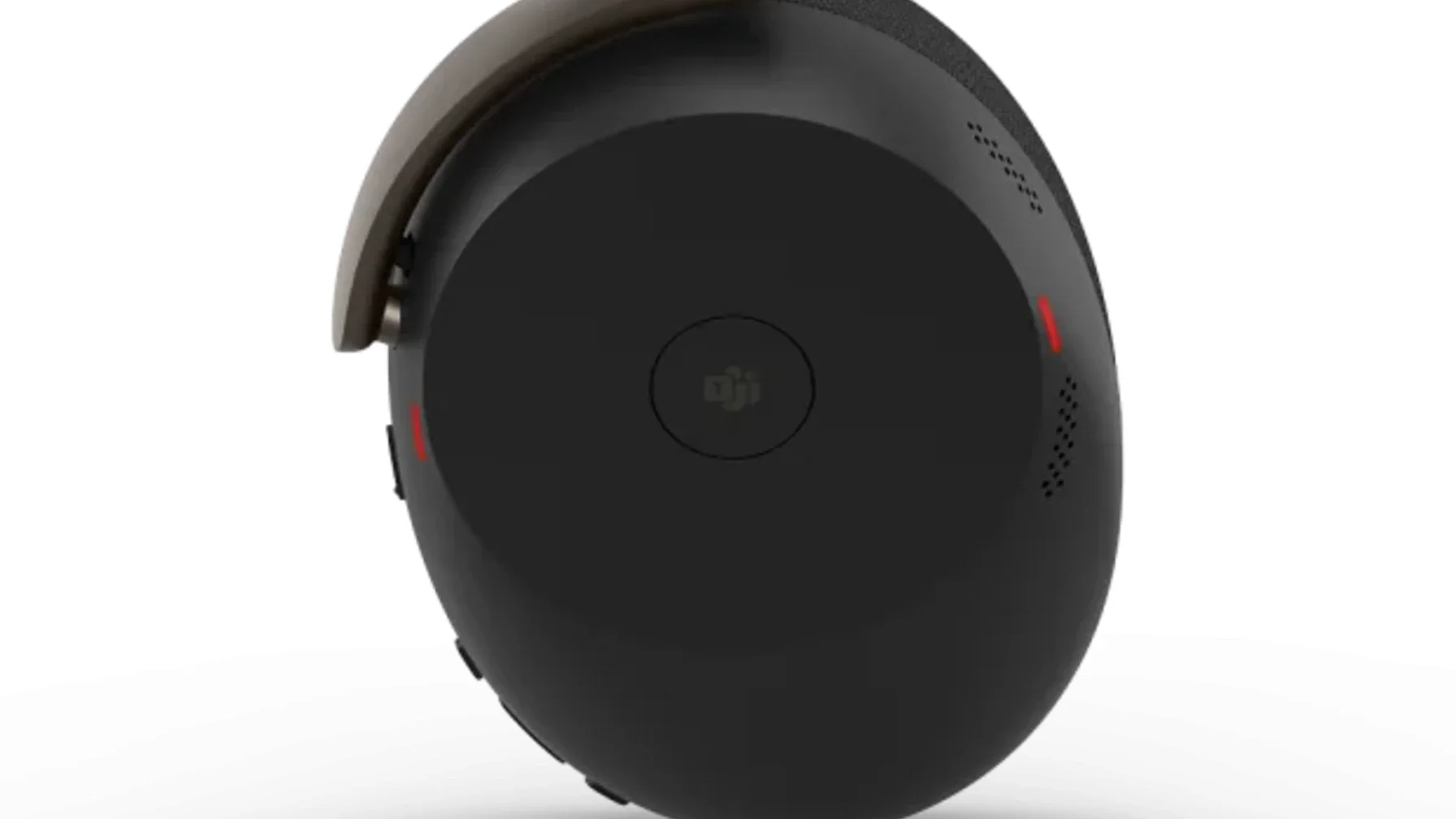
How to Match the Right Headset to Your Team
No single headset is right for every seat in an organization. Use this quick-reference guide to match headset to role — then reach out if you want a customized recommendation for your specific environment.
| Role / Environment | Top Pick | Why |
|---|---|---|
| Executives & power users | Jabra Evolve2 85 MS | 37-hour battery, 10-mic array, premium call quality that callers notice |
| Open office / call-intensive roles | EPOS Impact 1061T ANC | Best-in-class microphone noise cancellation, reduces listener fatigue over long shifts |
| Hybrid workers (office + home) | Poly Voyager Focus 2 MS | Multi-device pairing, 25-hour battery, Acoustic Fence mic — strong all-rounder |
| Desk-bound / secure environments | Poly Blackwire 8225 MS | No battery, no wireless signal — consistent audio with zero interference risk |
| All-day comfort priority | Logitech Zone Wireless 2 MS | Lightweight, breathable, replaceable cushions and battery for long-haul wearers |
| Budget team deployment | Jabra Evolve2 30 SE MS | Fully certified, enterprise-grade durability, under $110 per seat |
Every brand featured in this guide offers enterprise device management software — Jabra Direct / Jabra Plus, HP / Poly Studio, EPOS Connect, and Logi Tune respectively. For IT teams managing more than a handful of headsets, these platforms provide centralized firmware updates, usage analytics, and remote configuration — capabilities that pay for themselves quickly in support hours saved. Make sure you factor the management story into your evaluation, not just the headset hardware.
Still deciding between these models?
We've deployed over 1.5 million headsets across 1,000+ organizations. Tell us your environment and we'll run a free compatibility audit for your 2026 refresh.
Frequently Asked Questions
A headset certified for Microsoft Teams has been tested and validated by Microsoft for wideband audio performance, dedicated Teams button functionality, automatic device configuration, and seamless call control integration. When you plug in a certified headset, Teams recognizes it instantly as the default audio device. The dedicated Teams button lets you answer calls, mute yourself, and open the Teams interface directly from the headset — without touching your keyboard or mouse.
Certified headsets also meet Microsoft's audio quality standards, including the Open Office premium microphone standard for models tested in noisy environments — a meaningful distinction for open-plan offices.
Yes. All Microsoft Teams certified headsets work with Zoom, Google Meet, Webex, RingCentral, and virtually every other major UC platform as standard audio devices. The Teams certification adds a dedicated Teams button and optimized firmware for Teams-specific call controls — but the underlying audio hardware is fully platform-agnostic.
One caveat worth noting: if your organization uses Teams alongside another UC platform like Cisco or Avaya, consider the UC version of the headset instead. It avoids firmware conflicts while still delivering excellent Teams performance.
In practice, call quality is equivalent between modern corded and wireless headsets from major enterprise brands. Wireless headsets from Jabra, Poly, EPOS, and Logitech use USB Bluetooth dongles rather than native Bluetooth, delivering a stable, low-latency connection with no perceptible audio degradation compared to a cable.
Corded headsets have a slight theoretical edge — zero interference risk — which makes them the preferred choice in highly secure environments like government or finance. For most office and hybrid environments, a quality wireless headset from a certified brand delivers indistinguishable call quality alongside the added freedom of movement.
Battery life varies by model. Among the headsets in this guide: the Jabra Evolve2 85 delivers up to 37 hours of talk time — enough for a full five-day workweek on a single charge. The Poly Voyager Focus 2 offers up to 25 hours, and the Logitech Zone Wireless 2 around 22 hours. The new Jabra Evolve3 85 offers 25 hours with a fast-charge feature delivering 10 hours from just 10 minutes of charging.
Most enterprise wireless headsets maintain strong battery performance for 2–3 years. Several models — including the Evolve3 series and Logitech Zone Wireless 2 — offer user-replaceable batteries, extending the product lifecycle significantly beyond the typical refresh cycle.
Yes. All Microsoft Teams certified headsets work with both Windows and macOS. They connect via USB-A or USB-C and are recognized as standard audio devices by both operating systems without additional drivers. Teams button functionality and call controls work through the Teams desktop app on both platforms.
Companion apps — Jabra Direct, HP / Poly Studio, EPOS Connect, and Logi Tune — are all available for both Windows and Mac, providing firmware updates, EQ customization, and device management features regardless of operating system.
Yes — every major brand in this guide offers enterprise device management software. Jabra Plus and Jabra Direct allow IT teams to push firmware updates, configure settings, and monitor device health across all deployed Jabra headsets from a central dashboard. HP / Poly Studio, EPOS Connect, and Logi Tune provide equivalent capabilities for their respective brands.
For organizations deploying hundreds or thousands of headsets, these platforms significantly reduce IT support overhead — eliminating the need to manually update or troubleshoot individual devices. If centralized management is a priority for your deployment, factor the management platform into your evaluation alongside the hardware specs.
The EPOS Impact 1061T ANC is the top pick for open office environments. Its EPOS AI-powered adaptive microphone scans the acoustic environment 32,000 times per second and has earned Microsoft's Premium Microphone for Open Office designation — the most demanding microphone certification in the Teams program. The hybrid adaptive ANC also adjusts automatically to the surrounding noise level, reducing listening fatigue across a full workday.
For a more budget-friendly open office option, the Jabra Evolve2 75 MS is the strongest runner-up — it meets the Teams Open Office premium microphone standard and delivers strong real-world noise cancellation through its 8-microphone array. For corded open office deployments, the Poly Blackwire 8225 with Acoustic Fence technology is the go-to recommendation.
Most enterprise headsets from Jabra, Poly, EPOS, and Logitech are available in two variants that look physically identical: a UC (Unified Communications) version and a Microsoft Teams version. The Teams version adds a dedicated Teams button and firmware optimized specifically for the Teams platform — meaning it auto-configures as your default audio device, and call controls work natively without any additional software.
The UC version works with Teams too, but also works cleanly with other platforms like Cisco, Avaya, Zoom, and RingCentral without firmware conflicts. If your organization runs Teams exclusively, choose the Teams version. If you use Teams alongside other UC platforms, the UC version avoids compatibility issues while still delivering full Teams functionality.